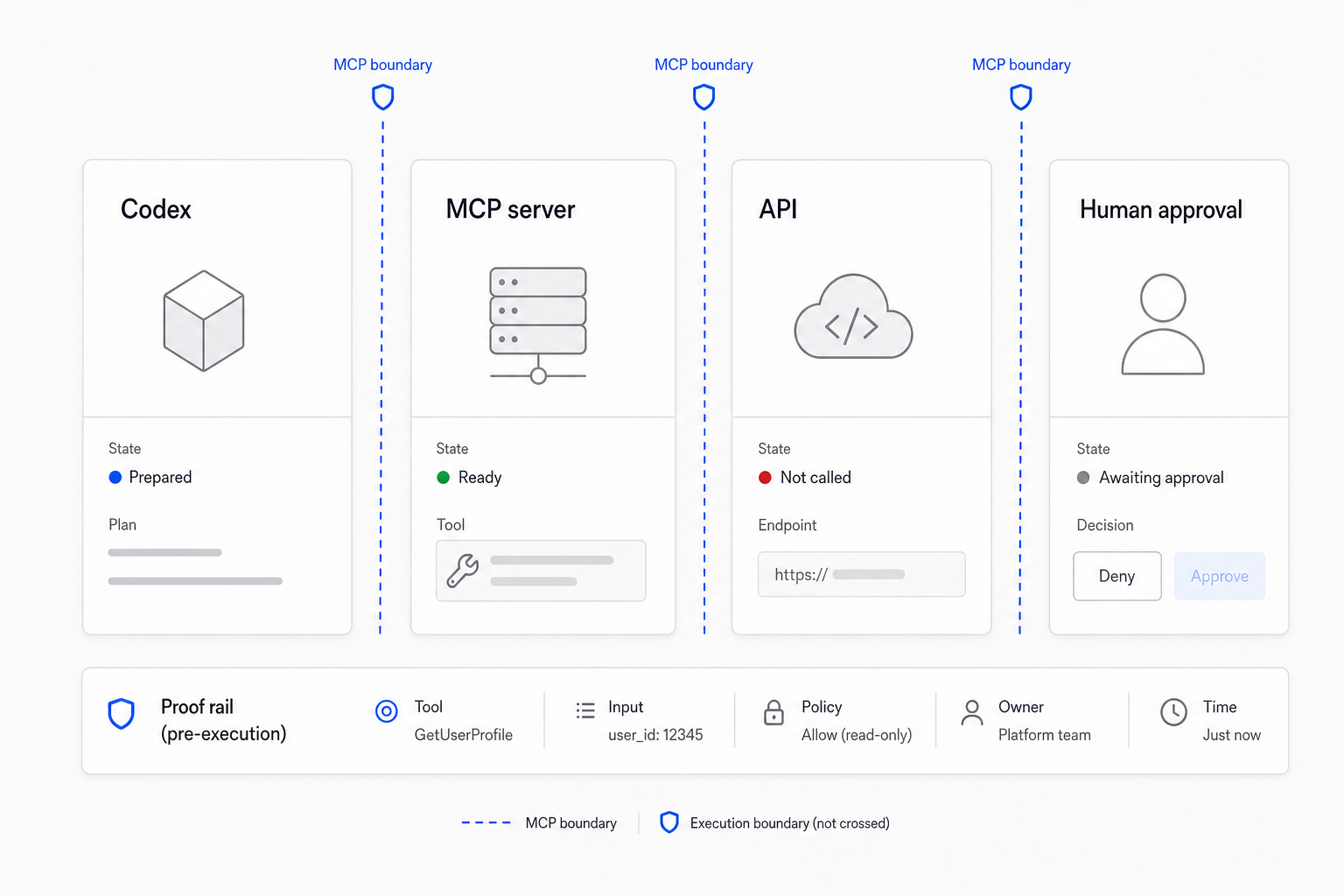
An MCP workflow needs a clear boundary. Codex can call tools, but the operator must know what the tool can reach, what it returns, and where human approval begins.
For the first business MCP course, that boundary is:
- Codex app: asks the question and inspects the result.
- Local MCP server: owns the tool contract, schema, and failure behavior.
- RapidAPI endpoint: provides external business data.
- Human approval gate: stops outreach, CRM writes, or production mutations until reviewed.
What to include
Every MCP boundary image should show:
- The user-facing surface, such as the Codex app.
- The MCP server and tool name.
- The external system or API.
- The allowed read or write behavior.
- The approval rule before risky action.
This keeps the workflow from sounding more autonomous than it really is. The image should help a business owner see that MCP creation is controlled delegation, not blind automation.
Operator exercise
Write the boundary for one tool:
Tool name:
Codex asks:
MCP server does:
External system reached:
Allowed output:
Human approval required before:
If "Human approval required before" is vague, stop and define it before adding more capabilities.