Add a Business Search Tool
Outcome
Add one focused MCP tool with Zod input validation, a RapidAPI call, and structured output.
This is the first operator workflow in the course:
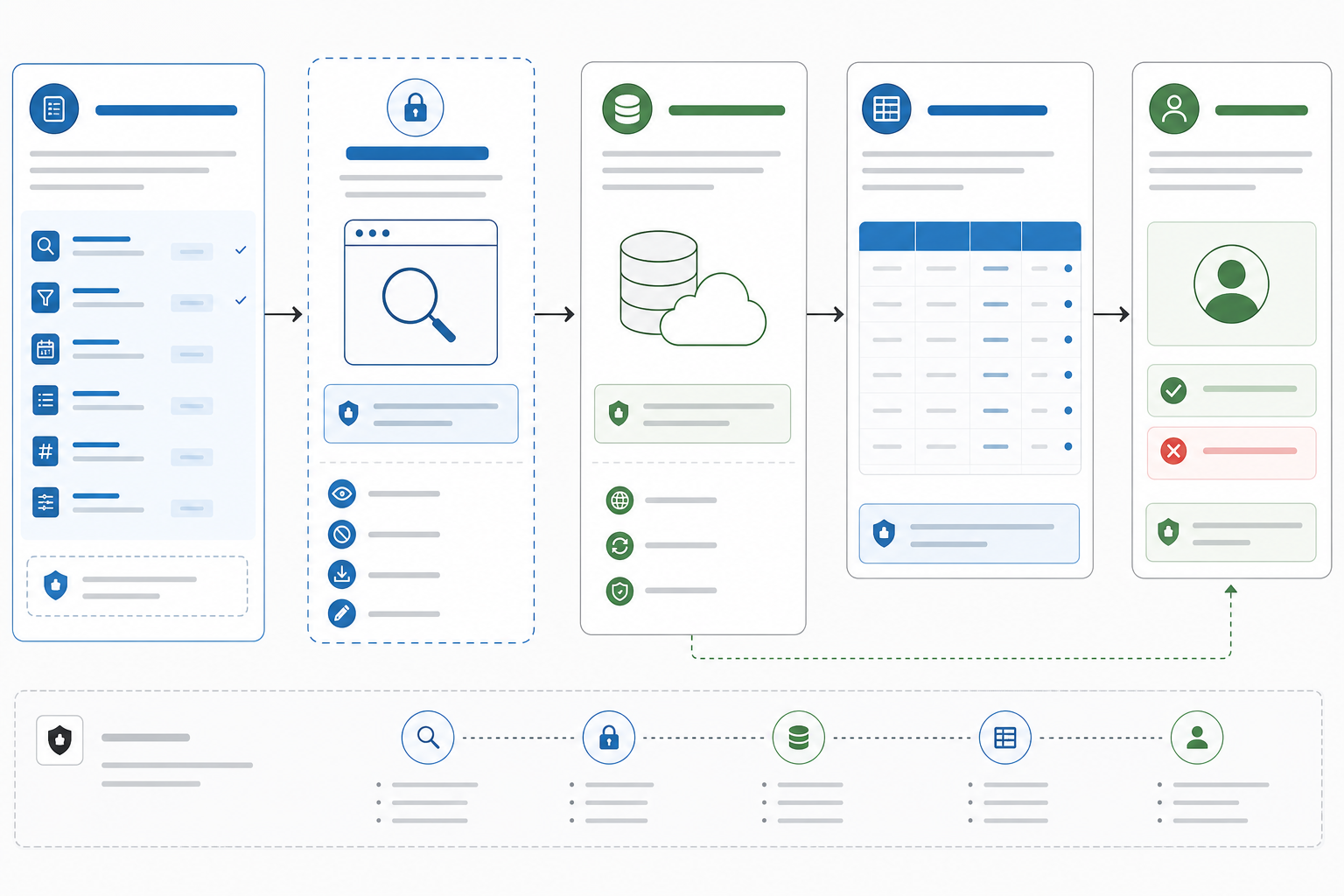
Codex prompt -> MCP tool contract -> RapidAPI Local Business Data -> normalized MCP result -> Codex decision support
Tool Design Rule
Start with one tool that is:
- easy to verify,
- useful in a real business prompt,
- read-only by default,
- and impossible to misuse silently.
This lesson uses RapidAPI Local Business Data because business owners understand the workflow immediately: find competitors, vendors, partners, or prospects in a market. Codex helps you create the MCP, and the MCP should return evidence Codex can inspect, not trigger outreach or write to a CRM.
For the first pass, keep contact extraction off. Use the tool to search, normalize, inspect, and decide.
OpenAI's Codex best-practices guidance recommends giving Codex a clear goal, context, constraints, and done criteria. In this lesson, those become the tool name, input schema, output schema, safety annotations, and checkpoint prompt.
1) Ask Codex to Review the Tool Contract
Before writing the tool, ask Codex to use the MCP-building skill again:
Use the MCP-building skill to review a read-only MCP tool named find_local_businesses.

It should call RapidAPI Local Business Data search, accept query, limit, and region, keep contact extraction off, return normalized business records, include outputSchema and structuredContent, and expose annotations that make the tool safe for operator review.
The goal is not to make Codex invent a hidden workflow. The goal is to have Codex check that the tool name, schema, output, and errors are specific enough for another Codex session to use safely.
Accept the contract only when Codex can restate:
- what business question the tool answers;
- what inputs are required;
- what external endpoint is called;
- what structured fields come back;
- what the operator must review before taking action.
2) Add a Local Secret
Subscribe to the RapidAPI Local Business Data API and store your key outside the repo:
export RAPIDAPI_KEY="your_rapidapi_key"
Do not commit this value. Later, when you register the MCP with Codex, put the environment variable in local config or a secret manager.
3) Register find_local_businesses
Update src/index.ts so it imports Zod and registers a tool before connecting the transport:
import { z } from 'zod/v4';

const businessResultSchema = z.object({
  business_id: z.string().optional(),
  name: z.string().optional(),
  full_address: z.string().optional(),
  phone_number: z.string().nullable().optional(),
  website: z.string().nullable().optional(),
  rating: z.number().nullable().optional(),
  review_count: z.number().nullable().optional(),
  verified: z.boolean().nullable().optional(),
  place_link: z.string().nullable().optional()
});

server.registerTool(
  'find_local_businesses',
  {
    title: 'Find local businesses',
    description:
      'Search for local businesses through RapidAPI Local Business Data and return normalized records for operator review.',
    inputSchema: {
      query: z
        .string()
        .min(3)
        .describe('Natural-language search query, such as "coffee shops in Austin, TX"'),
      limit: z
        .number()
        .int()
        .min(1)
        .max(10)
        .default(5)
        .describe('Maximum number of businesses to return. Keep this small for the course.'),
      region: z
        .string()
        .length(2)
        .default('us')
        .describe('Two-letter region code used to bias results, such as us, ca, or gb')
    },
    outputSchema: {
      query: z.string(),
      count: z.number(),
      businesses: z.array(businessResultSchema)
    },
    annotations: {
      readOnlyHint: true,
      destructiveHint: false,
      idempotentHint: true,
      openWorldHint: true
    }
  },
  async ({ query, limit = 5, region = 'us' }) => {
    const rapidApiKey = process.env.RAPIDAPI_KEY;

    if (!rapidApiKey) {
      throw new Error('RAPIDAPI_KEY is missing. Add it to your local environment before calling find_local_businesses.');
    }

    const url = new URL('https://local-business-data.p.rapidapi.com/search');
    url.searchParams.set('query', query);
    url.searchParams.set('limit', String(limit));
    url.searchParams.set('region', region);
    url.searchParams.set('language', 'en');
    url.searchParams.set('extract_emails_and_contacts', 'false');
    url.searchParams.set(
      'fields',
      'business_id,name,full_address,phone_number,website,rating,review_count,verified,place_link'
    );

    const response = await fetch(url, {
      headers: {
        'x-rapidapi-host': 'local-business-data.p.rapidapi.com',
        'x-rapidapi-key': rapidApiKey
      }
    });

    if (!response.ok) {
      throw new Error(`RapidAPI Local Business Data request failed with ${response.status}. Check your key, subscription, query, and rate limit.`);
    }

    const payload = (await response.json()) as { data?: unknown[] };
    const businesses = (payload.data ?? []).slice(0, limit).map((item) => businessResultSchema.parse(item));

    return {
      content: [
        {
          type: 'text',
          text: `Found ${businesses.length} businesses for "${query}". Review structuredContent before taking action.`
        }
      ],
      structuredContent: {
        query,
        count: businesses.length,
        businesses
      }
    };
  }
);
Why This Matters
This tool forces the real MCP loop:
- advertise a business capability Codex can understand,
- validate arguments before work starts,
- keep secrets out of source,
- call one bounded external API endpoint,
- return human-readable content,
- return machine-readable
structuredContent, - and stop at operator review instead of taking business action automatically.
The schema is part of the product. If Codex has to guess what a field means, the MCP is not ready.
4) Build Again
pnpm --filter @create-something/codex-demo-mcp build
Checkpoint
Your first useful tool should still be narrow. It should answer a business question like:
Find five highly rated coffee shops in Austin, TX so I can compare local positioning.
Before adding enrichment, outreach, spreadsheet writes, or CRM sync, prove that Codex can discover the tool, pass valid arguments, receive structured data, and explain failures.
Official References Used
- Codex best practices: prompts should include goal, context, constraints, and done criteria.
- Model Context Protocol in Codex: MCP connects Codex to tools and context through configured servers.
Next
Continue to Connect the Server to Codex.